Abstract
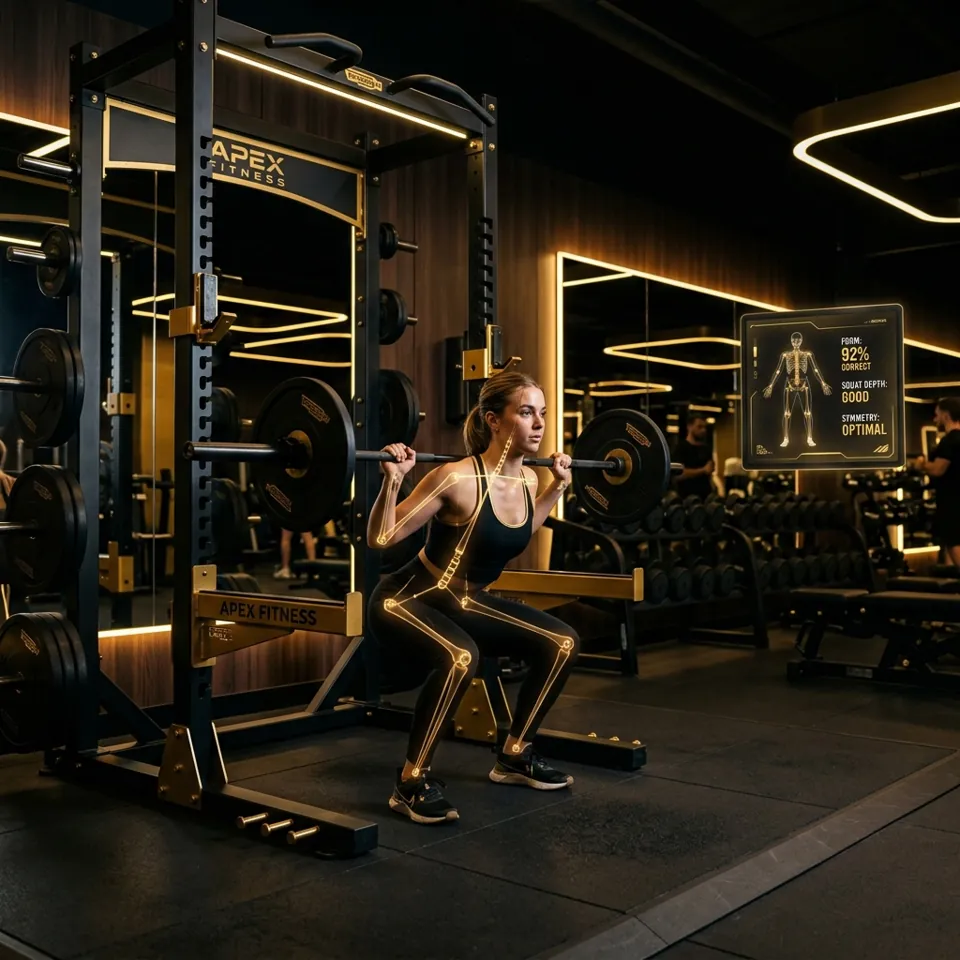
The AI Fitness Assistant is a browser-based computer vision system that tracks resistance-training exercises in real time from an ordinary webcam or phone camera. Google’s MediaPipe Pose model locates 33 body landmarks in every frame; the application converts them into joint angles and body positions, smooths the signal, and runs a per-exercise state machine that only counts a repetition once its full range of motion is complete.
The Exercise Lab ships 31 trackers: 29 repetition counters and 2 timed holds. Form checks turn the on-screen skeleton red and explain the fault in plain words. All inference runs on the user’s device, so no video or body data ever leaves the browser. In automated testing every tracker passes all 100 scripted scenarios on both 16:9 and 4:3 cameras, including 33 movements that must not count as a rep.
Problem statement & motivation
Resistance exercise provides proven cardiovascular, metabolic and musculoskeletal health benefits. However, inexperienced lifters face substantial risks of joint strain and acute injury when they train with poor posture or a compromised range of motion, and most train without a coach watching.
Wearable inertial measurement units (IMUs) and motion-capture suits can measure movement precisely, but they need specialised, expensive hardware. This project investigates whether a consumer webcam and edge machine learning can deliver useful biomechanical feedback directly in a web browser.
The aim is not to replace a coach. It is to answer, immediately and objectively, the two questions every lifter asks: did that rep count? and was my position safe?
Objectives & requirements
Functional
- Track the body in real time from a single RGB camera (webcam or phone).
- Count a repetition only when the full range of motion is reached, ignoring half-reps and bounces.
- Time isometric holds (Plank, Wall Sit) only while the position is actually held.
- Detect common form faults and explain them in words.
- Cover upper body, lower body, core and full-body movements.
Non-functional
- Private: all processing on-device; no account and no uploads.
- Zero install: a static website that runs in any modern browser.
- Camera-independent: the same movement measures the same on any camera shape and at any distance.
- Accessible: keyboard-operable controls, visible focus, and cues announced to screen readers.
System architecture
Every tracker runs the same six-step pipeline on each camera frame. Only step 5, the exercise’s own rules, differs between trackers.
- 1CameraFrames from
getUserMedia - 2Pose modelMediaPipe Pose finds 33 landmarks
- 3GeometryJoint angles & body ratios
- 4Smoothing~160 ms moving average
- 5State machineThe exercise’s rep rules
- 6FeedbackSkeleton, meter, cues, count
Components
| Part | Location | Responsibility |
|---|---|---|
| Tracker pages (23) | exercises/*_web.html | Camera session, landmark geometry, the rep state machine and cues. Each page is self-contained. |
| Exercise Lab | dashboard.html | Catalogue of every tracker and tool, grouped by muscle group. |
| Shared stylesheet | assets/css/common.css | Design tokens, the lab layout, camera stage and rep progress meter. |
| Site behaviour | assets/js/ui.js | Mobile navigation, current-page highlighting and scroll reveal. |
| Routine mode | assets/js/routine.js | Optional multi-exercise routines driven by each tracker’s repCompleted event. |
| Homepage demo | assets/js/hero-demo.js | Animated figure scored by the Squat tracker’s own angle formula and thresholds. |
| Calculators | pages/onerepmax.html, pages/strength_level.html | Epley one-rep-max estimate and bodyweight strength standards. |
| MediaPipe libraries | jsDelivr CDN | pose, camera_utils and drawing_utils, downloaded once by the browser. |
Lifecycle of a set
-
Start opens the camera and, the first time only, creates the pose model.
Later Starts reuse the same model and call
reset(): MediaPipe’s WebAssembly runtime cannot be rebuilt on a page, so closing and re-creating it would leave the tracker silent. -
Each frame is sent to the model. Its results arrive in
onResults, which measures the body, advances the state machine and redraws the skeleton. - Stop ends the set: the camera turns off and the rep count, hold timer, smoothing history and form state all reset to zero. A frame still being processed when Stop is pressed is ignored, so it cannot leave stale state for the next set.
Pose landmarks
MediaPipe Pose, based on the BlazePose network [1], returns 33 landmarks per frame.
Each has an x and y position as a fraction of the frame
(0–1), a relative depth z, and a visibility score.
The trackers run the full model (complexity 1) with landmark smoothing on and
detection and tracking confidence set to 0.7.
A landmark is only trusted when its visibility is at least 0.5, and an angle is only measured when all three of its points pass. A limb hidden from the camera therefore drops out instead of producing a wild reading.
| Index | Landmark | Used for |
|---|---|---|
| 0 | Nose | Pull-up head height; wrists overhead for Shoulder Press and Burpees |
| 7, 8 | Ears | Back rounding (ear against the torso line); head height when the nose isn't visible |
| 11, 12 | Shoulders | Almost every angle; the shoulder-width scale for Lat Pulldown |
| 13, 14 | Elbows | Elbow angles; elbows-overhead gates for Tricep Extension and the Shoulder Press lockout |
| 15, 16 | Wrists | Elbow angles; bar height for Pull-ups and Lat Pulldown; the hanging and bar-support gates; hand position for Russian Twists and Jumping Jacks |
| 23, 24 | Hips | Hip angles, body line, torso tilt for position gates and lean checks; shoulder height for Shrugs; the centre and width for Russian Twists |
| 25, 26 | Knees | Knee angles |
| 27, 28 | Ankles | Knee angles, body line, split stance and feet-at-hip-height; feet apart for Jumping Jacks; the foot on the box for Step-Ups |
| 29–32 | Heels, toes | Heel lift for Calf Raises |
Measuring joint angles
A joint angle uses three landmarks: for the elbow, the shoulder (A), elbow (B) and wrist (C). The two-argument arctangent gives the direction of each limb segment, and their difference is the angle at B.
Landmark x is a fraction of the frame’s width and
y of its height. On a 16:9 webcam one unit of x is
1.78 times longer than one unit of y, so using the raw numbers skews every
angle that isn’t perfectly horizontal or vertical. The trackers rescale
x by the video’s aspect ratio first:
const aspect = video.videoWidth / video.videoHeight;
let radians = Math.atan2(c.y - b.y, (c.x - b.x) * aspect)
            - Math.atan2(a.y - b.y, (a.x - b.x) * aspect);
let angle = Math.abs(radians * 180 / Math.PI);
if (angle > 180) angle = 360 - angle;
Measured effect
The same two photographs were padded into three frame shapes and run through the real pose model. A good measurement should not depend on the frame shape.
| Photo | Frame | Uncorrected | Aspect-corrected | MediaPipe 3D |
|---|---|---|---|---|
| Standing | 4:3 | 178.6° | 178.1° | 168.7° |
| Standing | 16:9 | 179.9° | 179.9° | 168.5° |
| Standing | 9:16 | 172.1° | 175.6° | 167.6° |
| Deep squat | 4:3 | 77.1° | 74.1° | 68.2° |
| Deep squat | 16:9 | 63.1° | 65.8° | 64.7° |
| Deep squat | 9:16 | 62.6° | 67.9° | 67.6° |
For the squat the spread across frame shapes falls from 14.5° uncorrected to 8.3° corrected. MediaPipe’s 3D world landmarks [3] were the most stable (3.5°) but read a straight leg as about 168°, too close to the 160–165° lockout thresholds. The trackers therefore use aspect-corrected 2D angles, which keep the thresholds’ meaning.
Distance-independent measures
Some movements are judged by position rather than angle. Each is scaled by the body itself, so the result doesn’t change with distance from the camera:
- Lat Pulldown: wrist height above or below the shoulders, measured in shoulder widths.
- Calf Raises: heel height above the toes as a fraction of shin length, compared with a resting baseline captured at Start.
- Pull-ups: head height compared with the hands, which mark the bar.
- Plank, Burpees, torso-lean checks: torso tilt measured in true pixel proportions.
Smoothing the signal
Landmarks jitter slightly from frame to frame. Each reading is averaged over the last ~160 ms (at most five frames). A fixed five-frame average, used previously, lags more as the frame rate drops. On a slower phone it can smooth away the bottom of a fast rep before the angle crosses its threshold.
The table shows a simulated squat rep (knee 170° → 85° → 170°) and the lowest smoothed angle each method reaches. The rep counts only if that value drops below the 100° threshold.
| Rep length | Frame rate | 5-frame average | 160 ms window |
|---|---|---|---|
| 0.8 s | 8 fps | 119.0° · missed | 95.6° · counted |
| 0.8 s | 12 fps | 104.5° · missed | 87.6° · counted |
| 0.8 s | 30 fps | 87.9° · counted | 87.9° · counted |
| 1.0 s | 8 fps | 107.0° · missed | 91.2° · counted |
| 1.0 s | 12 fps | 95.8° · counted | 87.8° · counted |
| 1.5 s | 8 fps | 95.8° · counted | 87.8° · counted |
At 30 fps the two methods are identical; the time window only changes behaviour on slower devices.
Counting reps
Each tracker is a finite state machine with two thresholds and a gap
between them. For a squat, the knee angle dropping below 100° arms the rep
(DOWN), and standing back up (knees above 160° and hips above 150°) while
armed counts it (UP). The gap stops jitter around a single line from
double-counting, and the required order means half-reps and bounces never count.
Angles alone can’t tell exercises apart: a standing curl bends the elbow exactly like a push-up. So every tracker first checks that the body is in the exercise’s position (lying back, hinged forward, hanging from the bar, in a split stance) and only then lets the angles move the state machine. Outside that position the panel shows an amber cue such as “GET INTO A PUSH-UP POSITION”, and nothing counts.
How trackers read the body
| Strategy | What it does | Used by |
|---|---|---|
| Two-sided average | Averages the left and right angles when both are seen about equally well; otherwise trusts the clearer side | Squats, Bench Press, Deadlifts, Push-Ups, Dips, … |
| Position gate | Counts only while the body is in the exercise’s position; shows a cue otherwise | Push-Ups, Bench & Skull Crushers (lying), Rows & Kickback (hinged), Dips (on the bars), Pull Ups (hanging), Situps, Leg Raises & Glute Bridge (on the floor), Russian Twists (seated), Lunges (split stance), Step-Ups (foot on the box) |
| Torso tilt | Angle of the hip-to-shoulder line from vertical: 0° standing, 90° lying | Most trackers, for position gates and lean checks |
| Feet at hip height | Lying or in a plank the ankles sit near hip level; standing, a leg’s length below. Tells a toe touch from a sit-up | Situps, Leg Raises, Push-Ups, Glute Bridge |
| Front leg | The more bent knee (Lunges) or the planted leg, whose ankle sits lowest (Bulgarian Split Squat) | Lunges, Bulgarian Split Squat |
| Lead leg on the box | Learns the floor from the lowest the ankles have been; the foot a fifth of a leg above it is on the box. Only a rep finished standing on the box counts | Step-Ups |
| Working arm | The more bent elbow; the other arm props straight on the bench | Single-Arm Dumbbell Row |
| Nearest side | Uses the side the camera sees best | Barbell Row, Situps, Tricep Kickback, Burpees, Plank |
| Both arms required | Needs both arms in view | Shoulder Press, Lateral Raise, Lat Pulldown |
| Alternating | One side then the other counts as one rep: a left curl then a right curl, or a twist to each side | Biceps Curl, Russian Twists |
| Back rounding | How far the ear drops below the hip-to-shoulder line. Looking ahead lifts it, so only a rounding back is flagged | Deadlifts, Romanian Deadlift, Barbell Row, Single-Arm Row, Kettlebell Swings |
| Timed hold | The timer runs only while the position is held; Stop resets it | Plank, Wall Sit |
| Calibrated | Captures a resting baseline over the first 15 frames of every set | Calf Raises, Dumbbell Shrugs |
| Multi-phase | Each phase in order: stand → plank → stand → jump with arms overhead (Burpees); open, then closed (Jumping Jacks) | Burpees, Jumping Jacks |
Every completed rep dispatches a repCompleted browser event with the
current count; routine mode listens for it to advance to the next exercise.
Exercise reference
The exact rules each tracker applies. Angles are in degrees; “armed” is the position that must be reached before a rep can count.
| Exercise | Camera | Measures | Armed | Counts | Form check |
|---|---|---|---|---|---|
| Chest & Shoulders | |||||
| Bench Press | Side-on | Elbow, averaged | < 90 | > 160 | Gate: lying back (torso tilt > 50) |
| Shoulder Overhead Press | Facing | Elbow, both arms | < 100 with forearms pointing up | > 150 with the upper arms pointing up and both wrists above the head | Torso lean > 20 |
| Lateral Raise | Facing | Shoulder (hip–shoulder–elbow), both arms | < 35 | > 75 | Elbow < 130 (bent arms); torso lean > 20 |
| Push-Ups | Side-on | Elbow, averaged | < 90 | > 160 | Gate: body near horizontal, feet at hip height. Body line < 155 → lift or lower the hips |
| Front Raise | Side-on | Shoulder (hip–shoulder–elbow), averaged | < 35 | > 80 | Elbow < 130; torso (shoulder–hip–knee) < 160 (swinging) |
| Dips | Side-on | Elbow, averaged | < 90 | > 150 | Gate: hands below the elbows, torso within 45 of upright |
| Dumbbell Shrugs | Facing | Shoulder height above the hips, in shoulder widths, vs a baseline | Lift < 0.04 | Lift > 0.10 | Elbow < 150 (bent arms) |
| Back | |||||
| Pull Ups | Facing or behind | Elbow + head vs hands | Dead hang, elbow > 150 | Head above the hands | Gate: hands above the shoulders (hanging) |
| Lat Pull Down | Facing | Wrist height, in shoulder widths | Wrists 0.5 above shoulders | Wrists 0.1 below shoulders | Torso lean > 30 |
| Barbell Row | Side-on | Elbow, nearest side | Extended > 150 | Pulled < 90 | Gate: hinged (tilt ≥ 30). Back rounding > 35 |
| Deadlifts | Side-on | Hip (shoulder–hip–knee) + knee, averaged | Hip < 90 | Hip > 160 and knee > 155 (full lockout) | Back rounding > 35 |
| Romanian Deadlift | Side-on | Hip, averaged | < 110 | > 165 | Back rounding > 35; knee < 130 (squatting) |
| Single-Arm Dumbbell Row | Side-on | Elbow of the working (more bent) arm | Extended > 150 | Pulled < 90 with the upper arm within 55 of the torso | Gate: leaning over the bench (tilt ≥ 45). Elbow bent with the upper arm hanging → drive the elbow back; back rounding > 35 |
| Arms | |||||
| Biceps Curl | Facing | Elbow, each arm | Arm extended > 150 | Curl < 60; left then right = 1 rep | Upper arm > 35 from the torso (elbows drifting); torso lean > 20 |
| Overhead Tricep Extension | Side-on | Elbow of each raised arm (one or both) | < 60 | > 150 | Gate: elbow above the shoulder |
| Tricep Kickback | Side-on | Elbow, arm nearest the camera | < 90 | > 150 | Gate: hinged (tilt ≥ 30). Upper arm > 50 from the torso |
| Skull Crushers | Side-on | Elbow, averaged + upper arm from vertical | < 80 with the upper arms within 40 of vertical | > 150 | Gate: lying back, elbows pointing up (within 60). Upper arms > 40 from vertical |
| Core | |||||
| Situps | Side-on | Hip (shoulder–hip–knee), nearest side | Lying back, hip > 120 | Sitting < 70 | Gate: torso within 35 of the floor, feet at hip height. Knee > 140 (legs straight) |
| Plank | Side-on | Body line + torso tilt | Timer runs while propped on forearms or hands, torso within 35 of level and body line > 150 | Lift or lower the hips | |
| Lying Leg Raises | Side-on | Hip (shoulder–hip–ankle), averaged | Flat > 160 | Raised < 110 | Gate: lying down. Knee < 140 (bent legs) |
| Russian Twists | Facing | Hands vs the middle of the hips, in hip widths | Hands 0.8 hip widths to one side, then the other = 1 rep | Gate: seated, knees above the hips | |
| Legs | |||||
| Squats | Side-on | Knee (hip–knee–ankle) + hip, averaged | Knee < 100 | Knee > 160 and hip > 150 | Torso lean > 55 (chest dropping) |
| Lunges | Side-on | Both knees: front = more bent | Front < 100, back < 135, feet split by half a leg | Front > 150 | Torso lean > 30 |
| Bulgarian Split Squat | Side-on | Knee of the planted (front) leg | < 100 | > 150 | Torso lean > 45 |
| Wall Sit | Side-on | Knee, averaged + torso tilt | Timer runs while the knee is 80–110 and the back within 25 of upright | Slide down, rise up, or back against the wall | |
| Calf Raises | Side-on | Heel lift ÷ shin length vs baseline | Lift < 0.03 | Lift > 0.08 | Knee < 150 (bouncing) |
| Glute Bridge | Side-on | Hip (shoulder–hip–knee), nearest side | Hips down, < 140 | > 165 with the knees still bent (< 140) | Gate: lying, feet at hip height. Knee > 140; hips more than 8% above the shoulder–knee line (arching) |
| Step-Ups | Side-on | Both legs: foot height above the floor, knee angles, hip | Lead foot on the box, knee < 110 | Standing on the box: lead knee > 160, hip > 160 | Torso lean > 45 |
| Full Body | |||||
| Burpees | Side-on | Torso tilt, knee, body line, wrists vs head | Standing: tilt < 30, knee > 150, body line > 150 | Plank (tilt > 60, body line > 140), stand, then jump with the wrists above the head | — |
| Jumping Jacks | Facing | Wrists vs the head; ankles apart, in shoulder widths | Open: both hands above the head, feet > 1.2 apart | Closed: hands below the shoulders, feet < 0.8 apart | — |
| Kettlebell Swings | Side-on | Hip + knee angles, arm height (hip–shoulder–elbow) | Hinged, hip < 110 | Hip > 165, knee > 160, arms > 70 from the torso | Hip < 130 with knee < 120 (squatting); elbow < 120; back rounding > 35 |
Feedback & interface
On the camera view
- While a set runs, only the skeleton and the rep progress meter are drawn over the video. There are no numbers or letters on the body.
- The skeleton turns red while a form check fails.
- The progress meter fills from 0% at the starting position to 100% at the end of the movement. Timed holds don’t show it.
- The canvas is sized to the camera frame and cropped exactly like the video, so the skeleton sits on the body.
In the side panel
- The rep count (or hold time in seconds), reset to zero by Stop.
- The next cue, colour-coded: amber waiting, volt act now, red fix your form.
- Form messages in red, such as “KEEP YOUR BACK STRAIGHT”, “LIFT YOUR HIPS” or “HINGE AT THE HIPS, NOT THE KNEES”.
- Position cues in amber when you aren’t set up for the exercise yet, such as “LIE BACK ON THE BENCH”, “HINGE FORWARD, BACK FLAT” or “STEP INTO A LUNGE”. Nothing counts until you are.
- The count and cues are live regions, so screen readers announce them.
Controls: Start, Stop, Flip Camera (front or rear, with mirroring handled) and Hide/Show Skeleton.
Privacy & performance
Privacy
Inference runs in the browser on WebGL and WebAssembly. No video, image or landmark data is sent anywhere: the only network requests are for the site itself, its fonts and the MediaPipe model files. There are no accounts and no analytics.
Performance
- One pose model per page, reused across sets.
- Only the skeleton is drawn each frame; the camera image is never redrawn onto the canvas.
- Smoothing adapts to the device’s frame rate.
- The full model (complexity 1) balances accuracy and speed.
Evaluation
-
Synthetic skeletons. An automated browser harness replaces the pose
model with skeletons of exactly known joint angles and runs each tracker’s own
page code. There are 100 scenarios covering all 31 trackers:
- 16:9 and 4:3 cameras;
- a person close to the camera and twice as far;
- fast reps at about 9 fps;
- 33 movements that must not count, such as half squats, squats on the lunge and step-up pages, push-ups or rows done standing, curls on the dips, press, pull-up, tricep and single-arm row pages, a press out to a T, a deadlift without knee lockout (or on the kettlebell page), standing toe touches on the sit-up page, a burpee without the jump, half jumping jacks, and sliding the legs out on the glute bridge;
- form faults with the exact message expected (rounded back, sagging or piked hips, bent arms or legs, drifting elbows, leaning off the wall), and form that must not be flagged (looking ahead during a row, a 25° lean on the lat pulldown);
- timed holds, and Stop/Start resets.
- Real model. The real MediaPipe Pose package ran against a fake webcam feed of photographs. Every tracker went through three Start/Stop sessions.
- Measurement study. The angle and smoothing comparisons in sections 06 and 07.
| Check | Before the fixes | Now |
|---|---|---|
| First engine suite, 33 scenarios, 16:9 camera | 20 / 33 | 33 / 33 |
| Technique suite, 73 scenarios, 16:9 camera | 36 / 73 | 73 / 73 |
| Technique suite, 73 scenarios, 4:3 camera | — | 73 / 73 |
| Wrong movements counted as reps or hold time | 17 / 20 | 0 / 20 |
| Added trackers (8): 27 scenarios, 13 of them wrong movements, 16:9 and 4:3 cameras | — | 27 / 27 |
| Squat reps across 3 Start/Stop sessions (real model) | 2 / 0 / 2 | 2 / 2 / 2 |
| Trackers still tracking after restarts (real model) | — | 31 / 31 |
| Text drawn over the camera view | Angle labels | None |
The 13 scenarios the previous engine failed exposed real bugs. On a 16:9 camera Deadlift, Romanian Deadlift and Wall Sit never registered. Pull-ups could not count from a dead hang, and Shoulder Press counted on the way down. Curls added reps to Shoulder Press and Overhead Tricep Extension, and Lat Pulldown depended on distance from the camera. Fast reps were missed at low frame rates.
A later technique audit found that many trackers checked the right joint but not the right exercise. Run against the previous pages, the 73-scenario technique suite passed 36. Push-ups, bench press, rows and kickbacks counted while standing. Lunges counted squats, and Bulgarian Split Squats never counted because the rear knee stays bent. Dips counted curls, and the press counted arms straightened out to a T. Deadlifts and squats counted without a full lockout, and sit-ups counted standing toe touches. Every tracker now checks the position first and the lockout fully, and each of these cases is a test.
These tests prove each tracker does what its rules say. They do not prove the thresholds suit every body: no study with real athletes has been run yet (see section 13).
Limitations & future work
Known limitations
- Monocular depth ambiguity: a single 2D camera loses accuracy when a limb moves towards or away from it, which is why most trackers ask for a side-on view.
- Self-occlusion: overlapping limbs lower the model’s confidence, and a hidden joint drops out of the measurement.
- Lighting and background: dim light or a busy background adds landmark jitter.
- Heuristic thresholds: the angles come from common coaching cues, not from a measured population, and may need tuning for mobility or body proportions.
- One person in frame: other people in view can confuse the model.
- No spine landmarks: the pose model has no points along the back, so back rounding is read from where the ear sits against the hip-to-shoulder line. A rounded lower back with the head held up can pass.
- Leaning towards the camera: on the trackers you face, a lean forwards or backwards changes little in 2D, so lean checks there catch sideways leaning best.
Future work
- A validation study with recorded, hand-labelled reps from real athletes.
- Optional 3D world-landmark angles, with thresholds re-tuned on that dataset.
- Per-user calibration of range of motion.
- Temporal Convolutional Networks (TCN) for continuous phase prediction, and dual-camera fusion.
- Per-set statistics such as tempo and depth, and adaptive filters such as the 1€ filter [5].
Student project contributors
Computer vision lead
MediaPipe & pipeline integration
Biomechanics & maths
Vector angles & FSM rep logic
Front-end engineering
HTML5 canvas & UI architecture
References
- Bazarevsky, V., Grishchenko, I., Raveendran, K., Zhu, T., Zhang, F., & Grundmann, M. (2020). BlazePose: On-device Real-time Body Pose tracking. arXiv preprint arXiv:2006.10204.
- Lugaresi, C., et al. (2019). MediaPipe: A Framework for Building Perception Pipelines. Third Workshop on Computer Vision for AR/VR at IEEE CVPR.
- Grishchenko, I., Bazarevsky, V., Zanfir, A., et al. (2022). BlazePose GHUM Holistic: Real-time 3D Human Landmarks and Pose Estimation. arXiv preprint arXiv:2206.11678.
- Baechle, T. R., & Earle, R. W. (2008). Essentials of Strength Training and Conditioning. National Strength and Conditioning Association (NSCA), Human Kinetics.
- Casiez, G., Roussel, N., & Vogel, D. (2012). 1€ Filter: A Simple Speed-based Low-pass Filter for Noisy Input in Interactive Systems. Proceedings of CHI 2012, ACM.
- W3C. Media Capture and Streams (the
getUserMediaAPI). https://www.w3.org/TR/mediacapture-streams/